Connecting cars, people and memories
Web + iOS + AndroidA private home for your car club
Give members one place to share vehicles, memories, and showcases — under your club’s name, colours, website and app.
LaneQuest Clubs is built for clubs who want a digital home that feels like the club, not a generic social app. Members join by invitation. Your branding stays front and centre. Plans and seats are managed by the club.
Pricing: On application
The challenge for clubs
Most clubs already have the memories — they just live in too many places. Photos are scattered across chats and drives.
Rallies, restorations, and meet-ups get lost in group messages and personal albums. New members never see the history.
With LaneQuest you get a dedicated private website and apps accessible only by your members where they can record their vehicle details and share photos and stories.
What members see
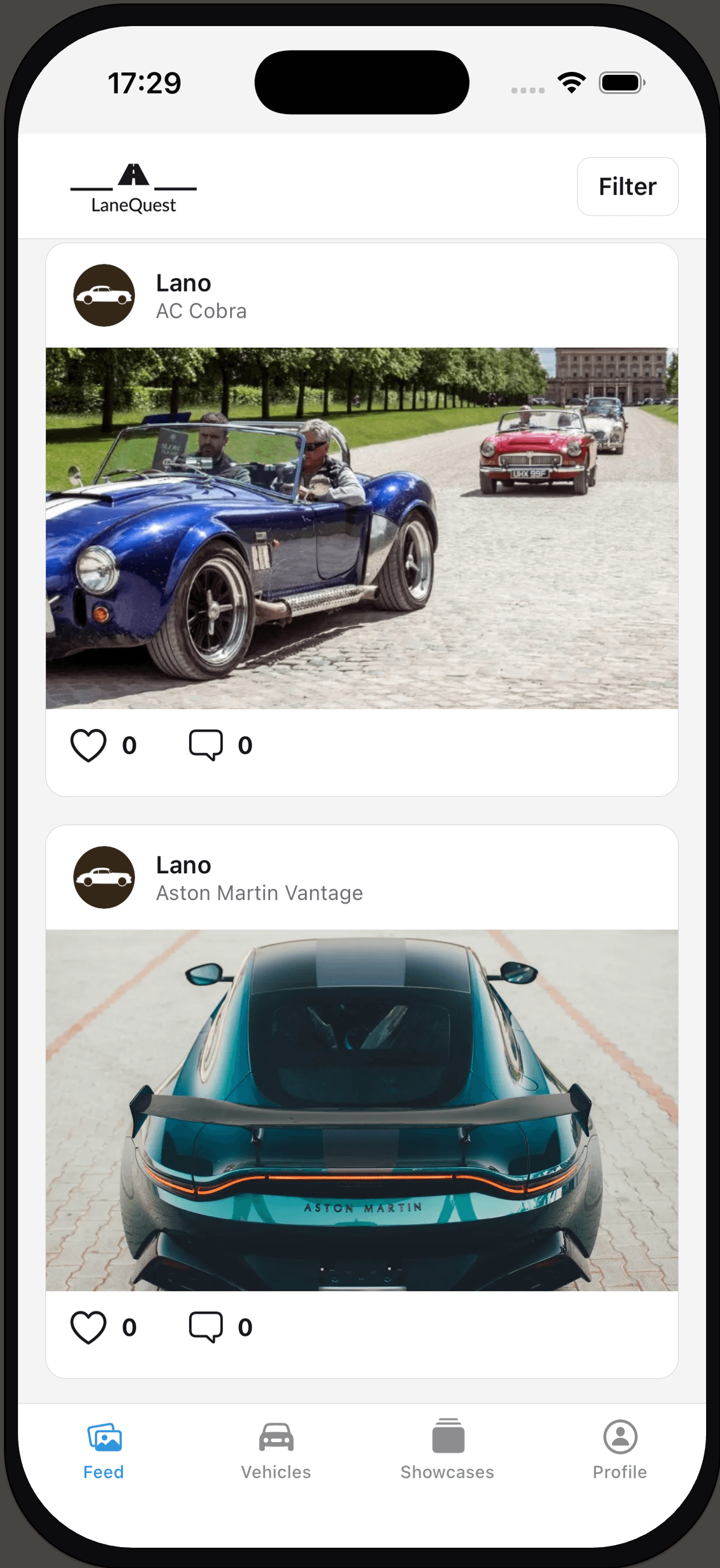
Your club’s private home
Invite-only space with your name, logo, and colours.
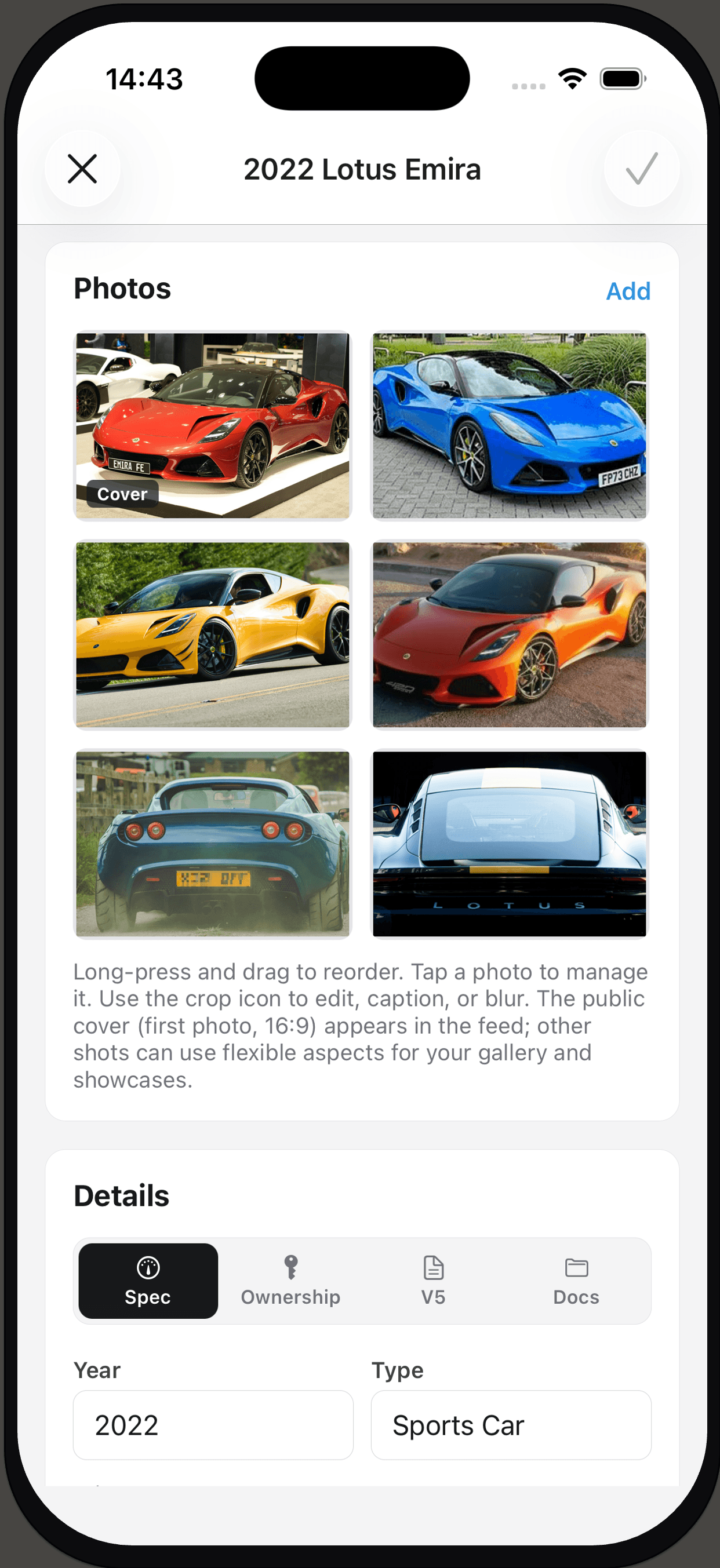
Vehicles, photos & stories
Members record cars and keep rally and restore memories together.
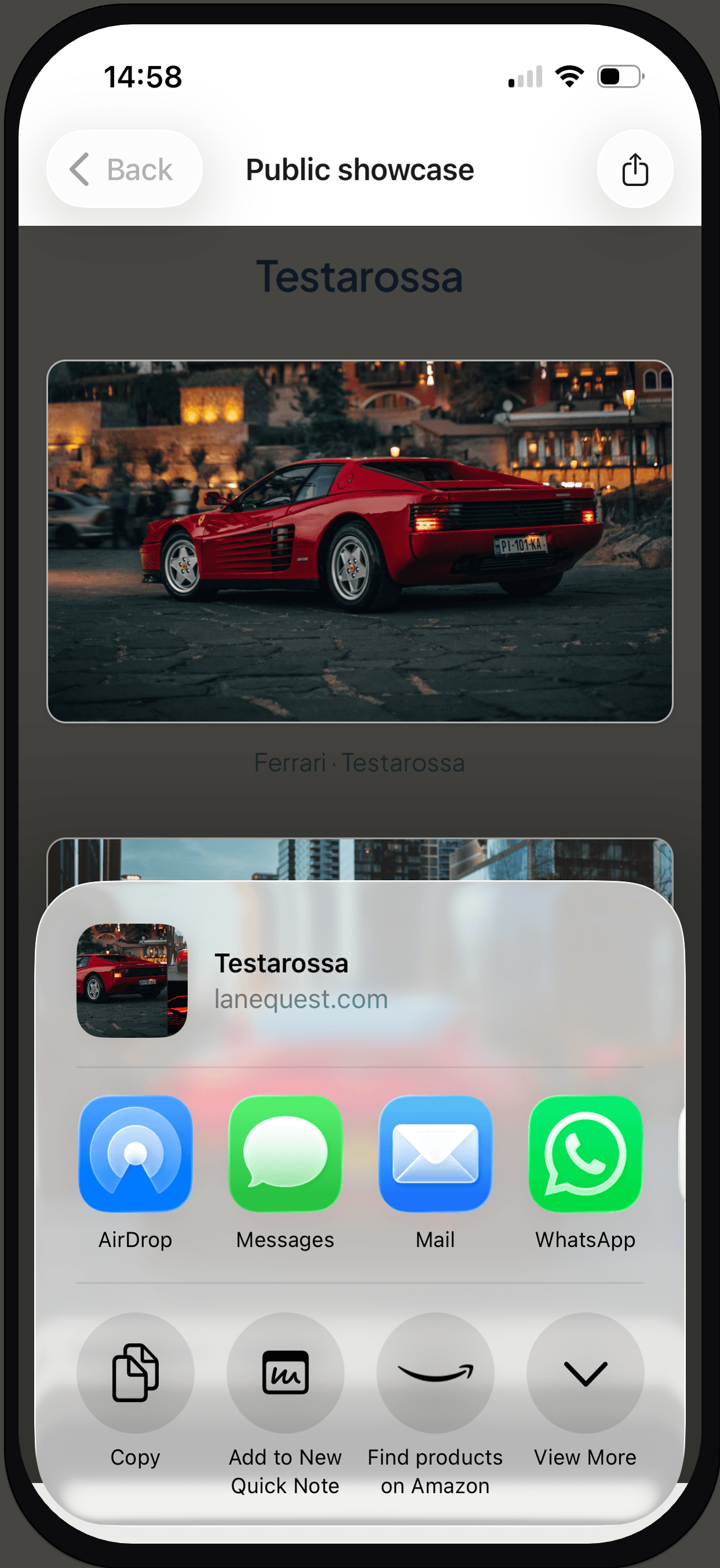
Branded showcases
Members can share showcases publicly carrying the club’s name and logo.
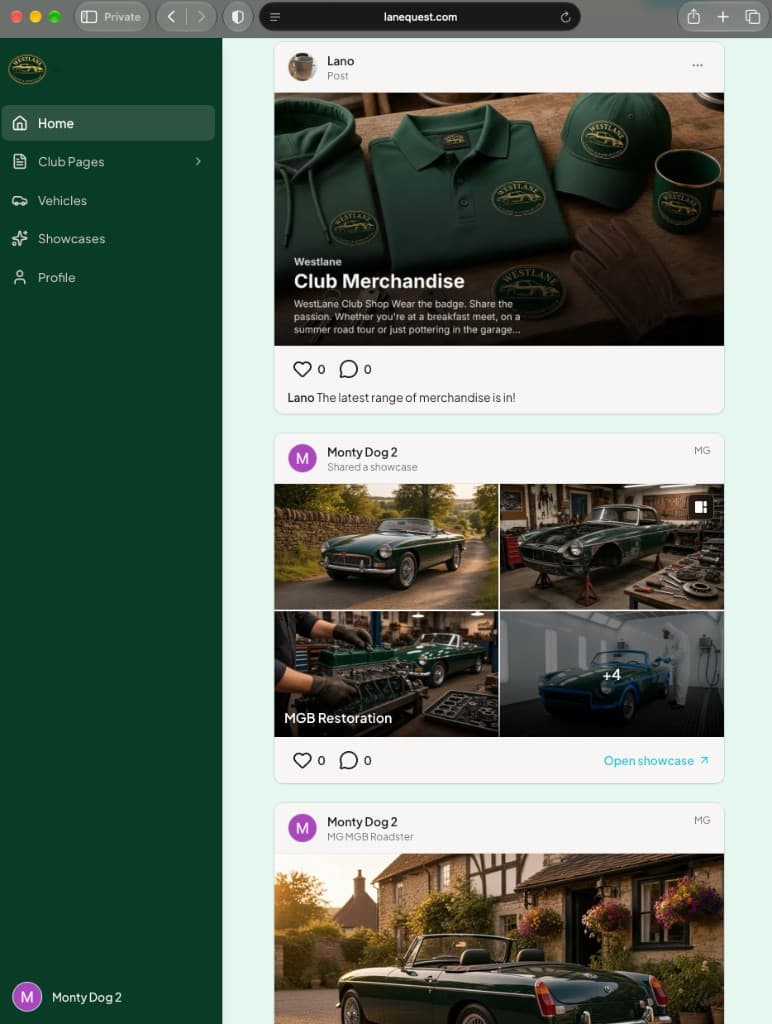
The club feed on the web
Member posts, club posts and shared showcases in the browser, in the club’s colours.
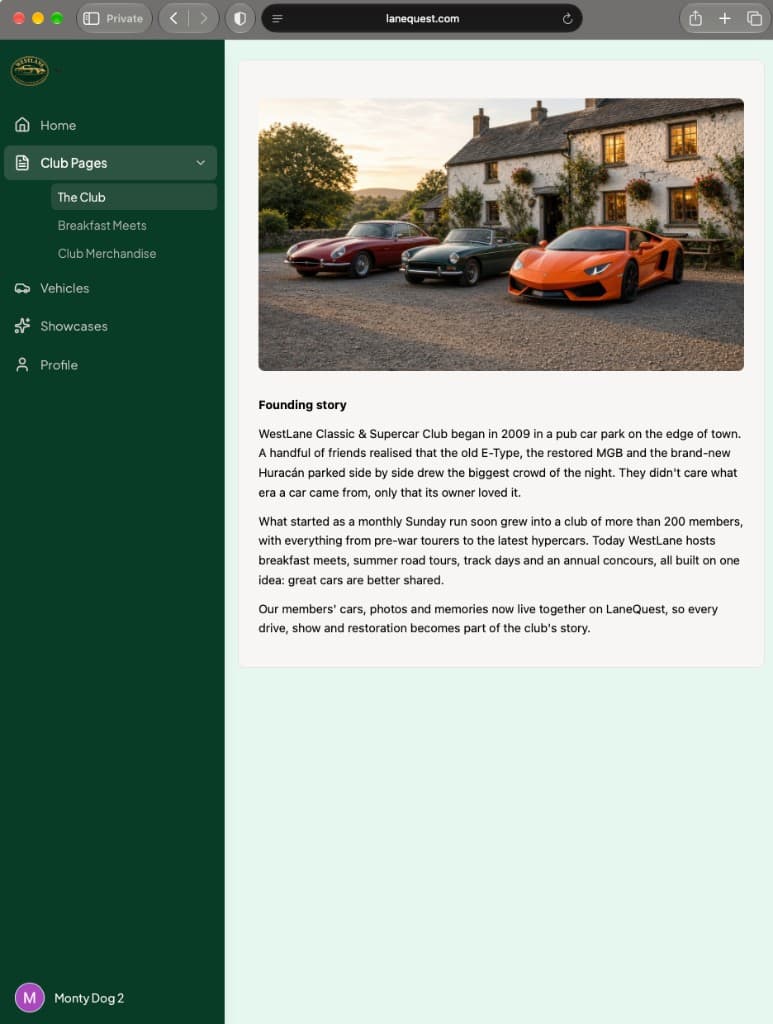
Dedicated club pages
Founding stories, events, and club information members open inside the club.
What your club gets
Private, invite-only community
Members join through invite links. You control who is in, and roles stay with your committee.
Your branding and club URL
Logo, colours, and a dedicated club address so the experience feels like yours from the first visit.
Dedicated club web pages
Publish pages for news, events, or club information that members can open inside the club space.
Bulk member invites
Onboard a whole membership list with invite links and an Excel bulk-invite flow for larger clubs.
Moderation tools
Review photos and comments, manage roles, and keep the community appropriate for your members.
Branded showcases
Members curate shareable showcases that carry your club’s name and logo when they go public.
How it works
Step 1
Set up your club
We provision your club with branding, seat capacity, and a Club Pro or Club Elite plan for every member.
Step 2
Invite members
Send invite links one by one or in bulk. Members join the private community — no open signup.
Step 3
Members build and share
Each member adds vehicles, photos, and showcases under your club’s look and entitlements.
Member plans
The club chooses one plan for all members. The club pays; members do not see personal upgrade prompts inside the club.
| Included | Club Pro | Club Elite |
|---|---|---|
| Vehicles | 10 vehicles | 20 vehicles |
| Showcases | 10 showcases | 50 showcases |
| Photos | 200 photos | 1,000 photos |
| Storage | 5 GB storage | 25 GB storage |
Seat capacity is set with you — active memberships use seats against your agreed limit.
For your committee
A short checklist before you decide:
- Seat-based licensing sized to your membership
- Invite-only privacy for your community
- Moderation for photos and comments
- Branded public showcases that look like the club
- Dedicated club pages for members


Scan to open the App Store


Scan to open Google Play
Ready to talk?
Tell us about your club size and what you need. We’ll propose seats, a member plan, and a setup path that fits your committee.